

Create a plan
1
The basics
Open Content plans and press New content plan. Enter a name, your website, your target market and any competitors.
2
What to write
Choose how many articles, what kinds, how long and how many a week. You can also add a focus, a brand voice and files to work from.
3
Check and go
Check that Your Chrome says Connected, then press Generate topics.
Research takes about 20 to 25 minutes. Keep Chrome open for about the first 18. It runs in the Chrome where you installed the extension, and you can stop it at any time.
Work with topics
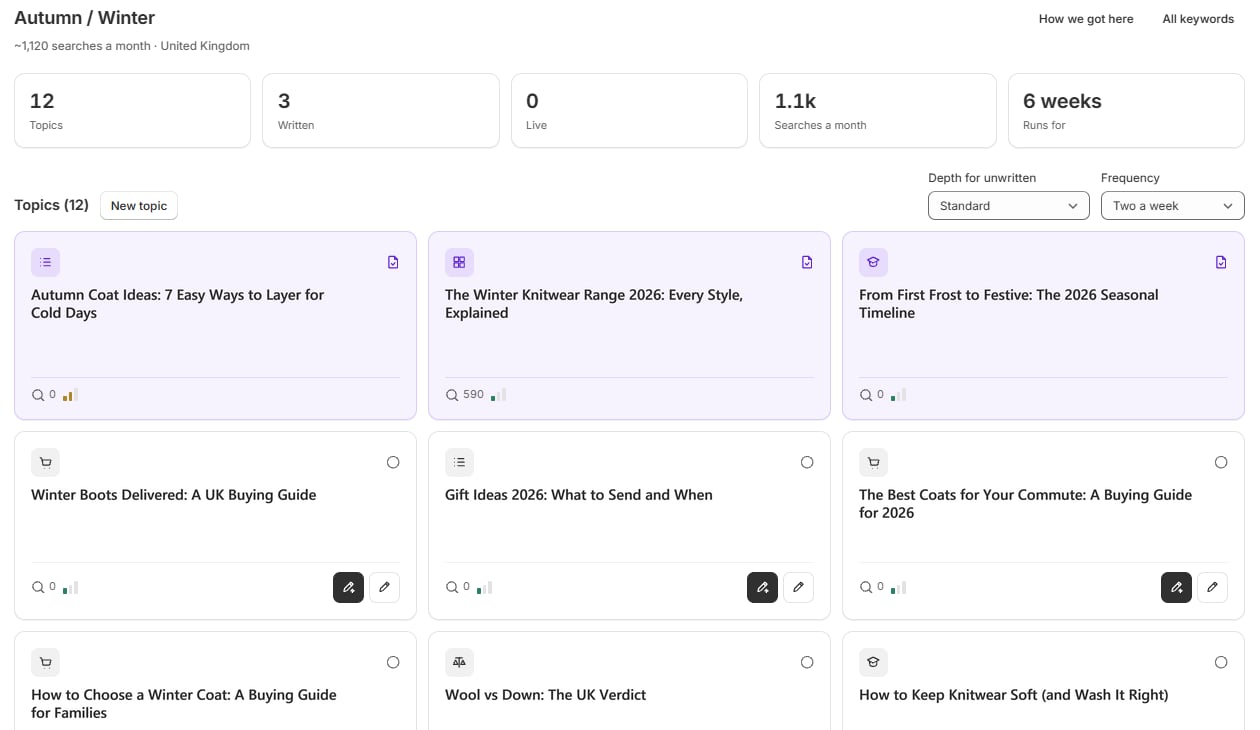
Open a topic to see its keywords, related topics, products and links. For a topic that isn’t written yet, Settings and prompt lets you change its type and length, drop it, and add instructions.- Write one: use the write button on the topic card, or Write this one in the topic.
- Add your own: press New topic and enter a title.
- See the research: use View research overview, How we got here and All keywords.
- Set the pace: Depth for unwritten changes the length of unwritten topics, and Frequency changes how long the plan runs for.