Store content works on what is already in your store. It has three tabs: Content, Store health and Product images. Press Sync with the store to refresh the app’s copy.

Content

Find a post, page, product or collection and open it to edit. The editor’s History keeps a copy before each change it writes, with Undo to put it back. When a post’s address changes, the app adds a redirect so old links keep working.

Store health
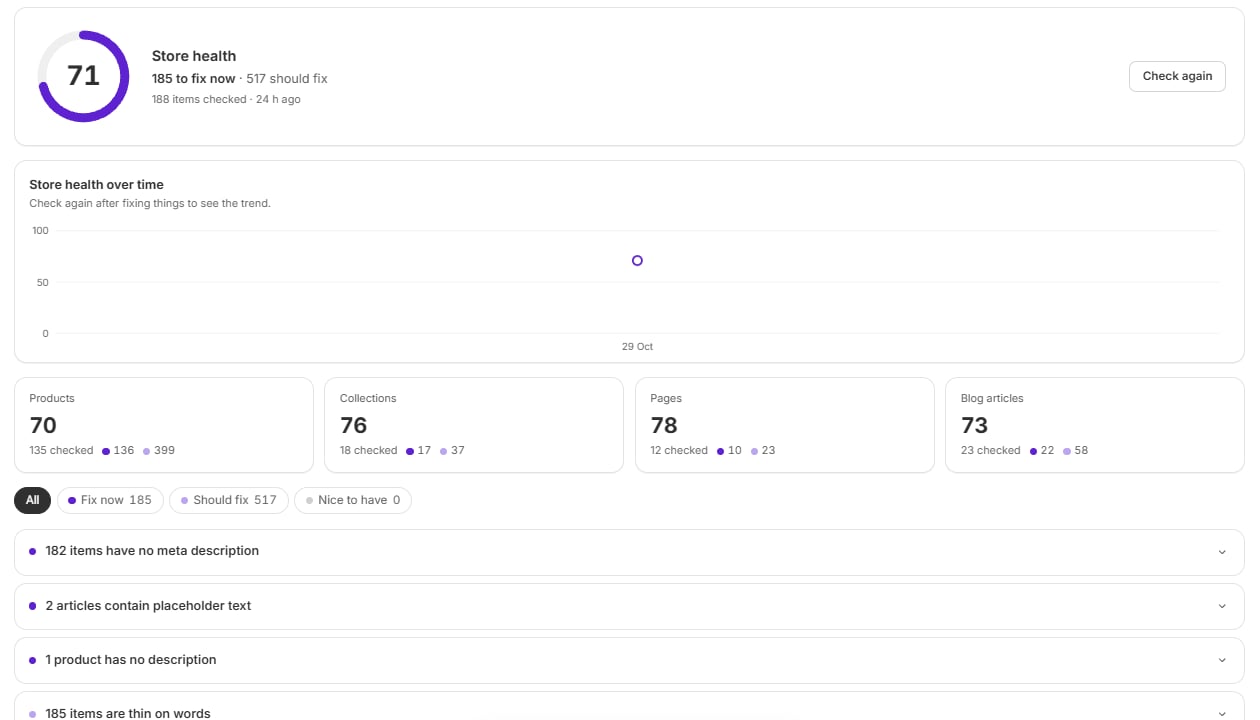
Store health with an overall score, a trend chart, scores for each content type and a list of issues
Store health scores your products, collections, pages and blog articles, then lists what to fix. Issues are grouped as Fix now, Should fix and Nice to have. Examples include a missing meta description or thin content. Open an issue to go to the item. On Pro, Fix all drafts fixes for you to check. Nothing is saved until you do. The score updates after each check. A check run from Shopify Flow is marked Refreshed from Flow.

Product images

Check images lists your images by weight, with their size and alt text.
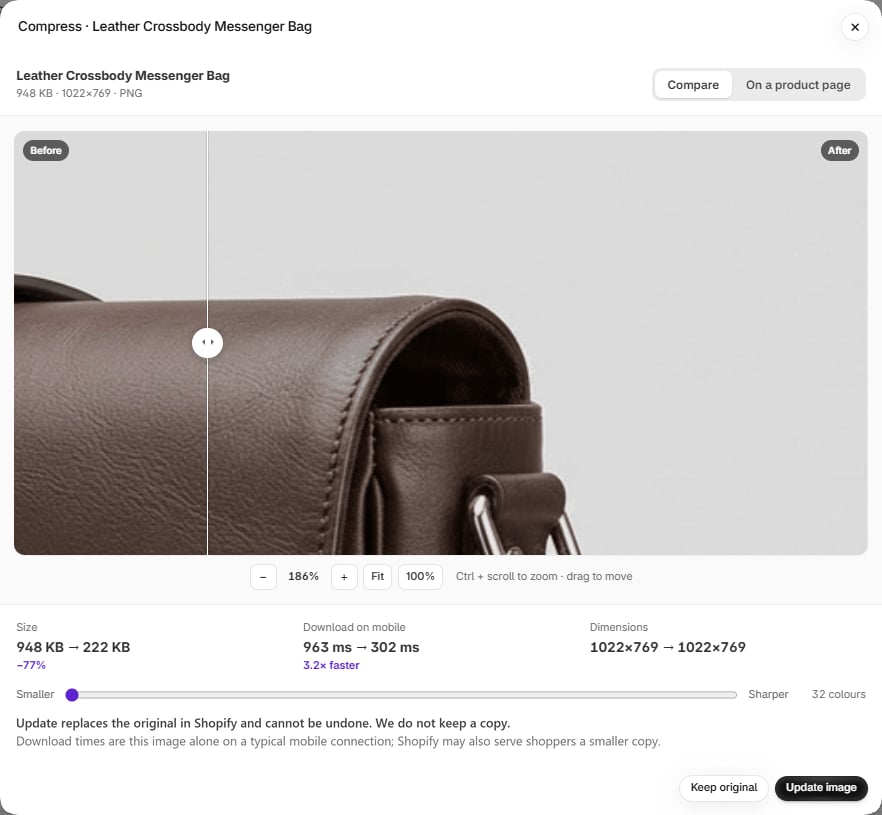
The compress preview, with a before and after slider and the size and download time saved
Press Compress on Growth or Pro to open a preview. Compare before and after, see the size and speed saved, and move the slider to choose between smaller and sharper. On a product page shows the image in place.
Update image replaces the original in Shopify and can’t be undone. The app doesn’t keep a copy. If you may want the original back, save it first.
The compressed image keeps its place on your products and its alt text. Images are re-saved in your browser, at most 2,048 pixels on the longest side.