Marketplace Channels
Multi Storefront (MSF) Channels
MSF_enabled refers to a store with more than 1 storefront/channel. Hence the following conditions below are applicable to MSF migration scenarios| IF Condition | AND Condition | THEN Action | Popup message |
|---|---|---|---|
| Source store is NOT MSF_enabled × | Destination store is NOT MSF_enabled × | BigCommerce Storefront will automatically map to the destination BigCommerce Storefront as both have a single channel id value of 1. | “Your Primary Storefront can be migrated from Source to the Destination” |
| Source store is NOT MSF_enabled × | Destination store IS MSF_enabled ✔ | Similar to the above, the BigCommerce primary storefront will automatically map to the destination BigCommerce primary storefront. In summary the two primary stores with channel id value of 1 will map automatically. | “Your Primary Storefront can be migrated from Source to the Destination” |
| Source store IS MSF_enabled ✔ | Destination store is NOT MSF_enabled × | Relevant popup/Notification will show below | Your Primary Storefront (Channel ID 1) can be migrated from Source to the Destination (Channel ID 1). “Other selected channels cannot be moved because the destination store is NOT multi-storefront enabled.” |
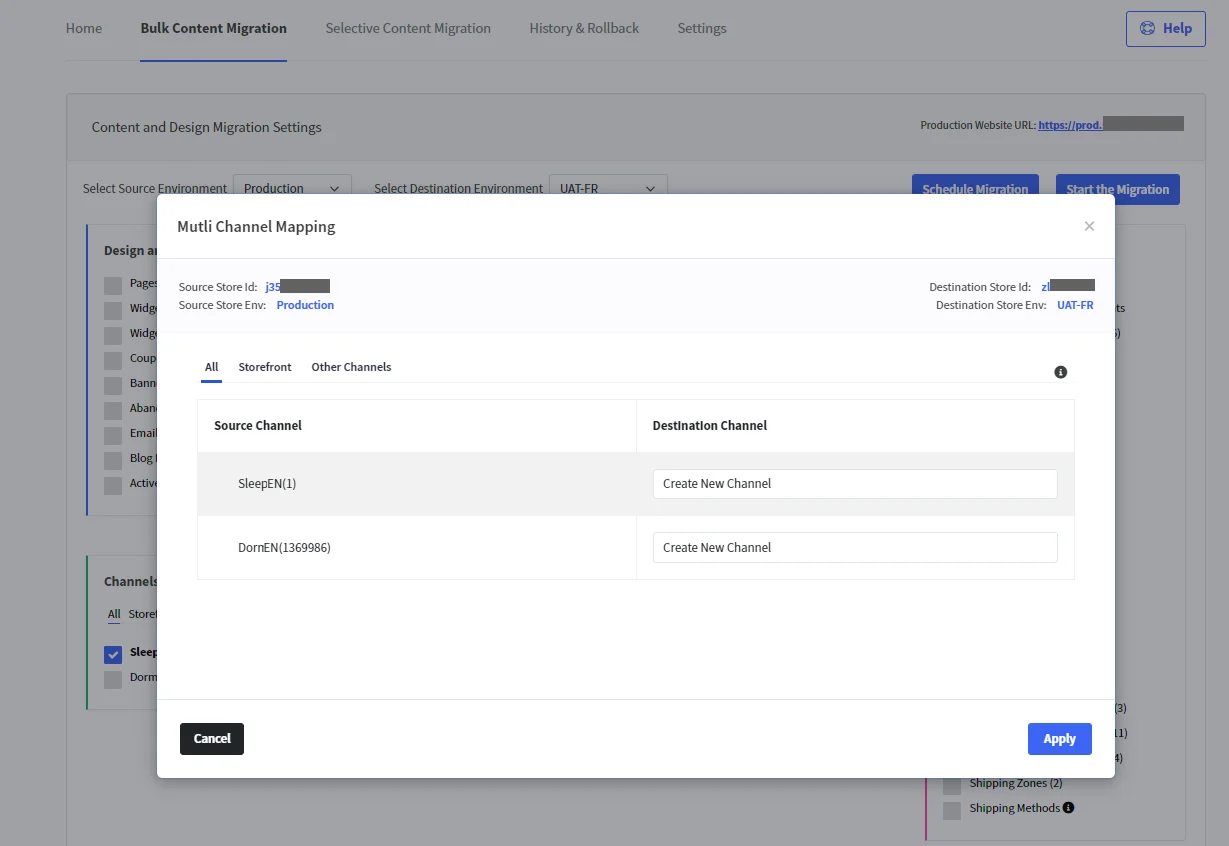
| Source store IS MSF_enabled ✔ | Destination store IS MSF_enabled ✔ | Channel mapper will display the available channels from source and available channels from destination. - It does so by getting the mapping info from StagingPro channels mapping - All the Channels not yet mapped can be mapped by the user. - The migration then takes place between the mapped channels from the source to the destination store. |
Channel Mapper
When the Source store and Destination store are both MSF_enabled ✔, the following channel mapping will display on the ‘Bulk Content Migration’ tab where you can select the destination channel (or create new channel) and click ‘Apply’ to save the mapping changes.